Heat up your shell: A cozy fire in your terminal (Scala edition)
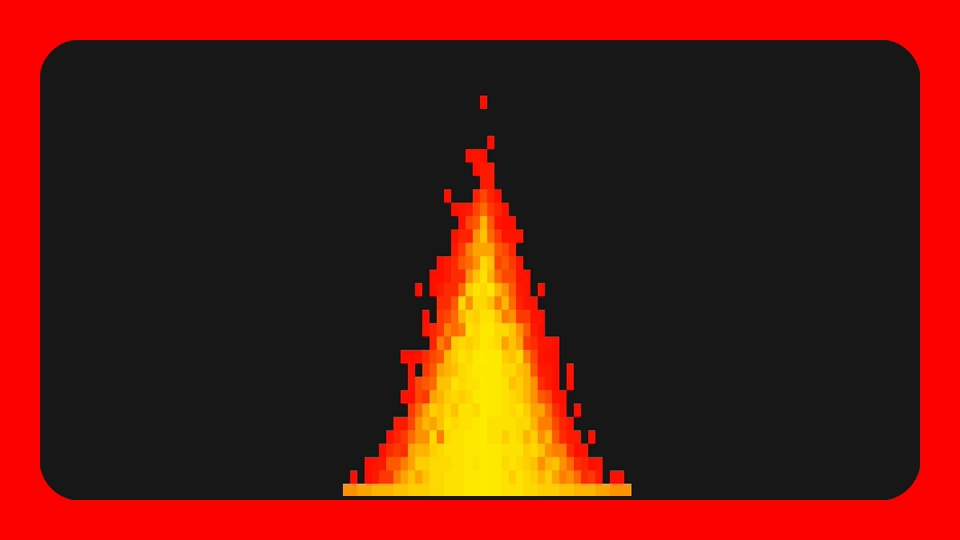
Frightening, dangerous, warm, vital, fire has always been a source of fascination and wonder for humans. This piece is an invitation to an artistic coding experience, one in which we’ll learn to summon a fair‑looking fire inside our terminals. Expect some lightweight math and probability for the modeling and Scala scripting for the implementation.
By the end of this journey, here’s what you’ll be able to achieve:
Setup
Tooling
A journey of a thousand miles begins with a single step
Before setting out on our journey, let’s make sure our backpacks are ready. We won’t need much: follow the quick install instructions to set up Scala and Scala CLI. Then verify your installation:
scala --versionScala code runner version: 1.9.1Scala version (default): 3.7.4
important
Your versions may vary, but make sure you’ve got Scala CLI bundled, i.e. “Scala code runner version” appears. If it’s not there, you’ll need to use the
scala-clicommand instead to run the script.
We’ll need a single external library dependency, namely JLine, for the interactions with the terminal. Thanks to Scala CLI, it can be easily added inline in our script. Let’s create the latter and run it to check our environment:
//> using dep "org.jline:jline:3.30.6"
import org.jline.terminal.TerminalBuilderscala fires.scnote
By using the
.scextension (instead of the usual.scala), the file will be treated as a script, any kind of statement will then be accepted at the top level and no@mainfunction will be needed.
Finally, let’s initialize our Terminal and pack it inside scala.util.Using for automatic resource management.
//> using dep "org.jline:jline:3.30.6"
import org.jline.terminal.TerminalBuilder
import scala.util.Using
Using(TerminalBuilder.builder().color(true).build()): terminal =>    terminal.writer.print("🔥")
tip
scala.util.Usingis somehow akin to Python’swith open(...):. It will ensure the provided resource is properly cleaned even if an exception was to be raised.
💡 About Scala’s syntax
If you already have exprerience with some mainstream programming language, the previous code snippet should be quite clear to you and, in general, Scala will look quite familiar. Still, let’s highlight some of its unique features which have appeared above:
Usingis an object, a class with a single instance. This is the singleton pattern in actionUsing(...)is a syntactic sugar for calling the object’s apply method, i.e.Using.apply(...)- In Scala functions can take multiple parameters list. In our case
Using.applyhas two: the first takes a resource and the second a function using it - A single line lambda can be written in-line, so we could have written the above
Using(...)(terminal => terminal.writer.print("🔥")). As for a multi-line block, we either wrap it inside curly braces (i.e.Using(...){arg => ...}) or, leveraging Scala3 indentation-based syntax (AKA optional braces), prefix the call with colons and indent its lines, as above
With provisions in our backpacks and excitement in our hearts, we’re finally ready to set out !
Scene
One of the first decisions faced in a scientific or technical endeavour is how to reduce the complexity and richness of the real world to a representation that can easily be manipulated. Our world of interest will consist solely of our fire and its (blank) background. We’ll model the former by its integer intensity, or number of fire specks, on each point of our scene. That intensity value will then determine the color. As for the scene, our medium, the terminal, suggests we simply use a grid of points holding our aforementioned intensity values. As most of our scene will be empty, a sparse representation will suffice. Finally, we have a fire source sitting on the bottom center of our scene from which our fire specks will emerge.
Translating to Scala, let’s create a Cell case class holding the fire intensity at each pixel position and a Scene aggregating those cells and providing the methods (added later) used to update our state.
//> using dep "org.jline:jline:3.30.6"
import org.jline.terminal.TerminalBuilder
import scala.util.Using
case class Cell(row: Int, col: Int, specks: Int)case class Scene(    height: Int,    width: Int,    fireSize: Int, // size of the base of our fire    cells: Seq[Cell] = Seq.empty)
Using(TerminalBuilder.builder().color(true).build()): terminal =>    terminal.writer.print("🔥")
Drawing
Before focusing on our fire’s mechanics, we want to set up the basic infrastructure for drawing our scene, thus enabling us to shed light on what we’re building.
First, let’s add our drawing method. It simply iterates over all cells and paints them using JLine’s AttributedString, which represents a string with style attributes. As a start, let’s paint everything in red regardless of the intensity, which we’ll handle a bit later.
//> using dep "org.jline:jline:3.30.6"
import org.jline.terminal.{Terminal, TerminalBuilder}import org.jline.utils.AttributedCharSequence.ForceModeimport org.jline.utils.{AttributedString, AttributedStyle}import org.jline.utils.InfoCmp.Capability
import scala.util.Using
val COLORS = math.pow(256, 3).toInt
def colorString(r: Int, g: Int, b: Int): String =    val colorStyle = AttributedStyle.DEFAULT.background(r, g, b)    AttributedString(" ", colorStyle).toAnsi(COLORS, ForceMode.ForceTrueColors)
case class Cell(row: Int, col: Int, specks: Int)case class Scene(    height: Int,    width: Int,    fireSize: Int, // size of the base of our fire    cells: Seq[Cell] = Seq.empty):    def draw(terminal: Terminal): Unit =        cells.foreach: cell =>            terminal.puts(Capability.cursor_address, cell.row, cell.col)
            // For now we always use plain red, regardless of fire intensity            terminal.writer.print(colorString(255, 0, 0))
Using(TerminalBuilder.builder().color(true).build()): terminal =>    terminal.writer.print("🔥")
tip
To draw in the terminal we first move the cursor to the target position and write a space character styled with ANSI escape codes.
Finally, we initialize our scene based on the terminal size and write a very simple drawing loop.
5 collapsed lines
//> using dep "org.jline:jline:3.30.6"
import org.jline.terminal.{Terminal, TerminalBuilder}import org.jline.utils.AttributedCharSequence.ForceModeimport org.jline.utils.{AttributedString, AttributedStyle}import org.jline.utils.InfoCmp.Capability
import java.util.concurrent.TimeUnitimport scala.util.Using
19 collapsed lines
val COLORS = math.pow(256, 3).toInt
def colorString(r: Int, g: Int, b: Int): String = val colorStyle = AttributedStyle.DEFAULT.background(r, g, b) AttributedString(" ", colorStyle).toAnsi(COLORS, ForceMode.ForceTrueColors)
case class Cell(row: Int, col: Int, specks: Int)case class Scene( height: Int, width: Int, fireSize: Int, // size of the base of our fire cells: Seq[Cell] = Seq.empty): def draw(terminal: Terminal): Unit = cells.foreach: cell => terminal.puts(Capability.cursor_address, cell.row, cell.col)
// For now we always use plain red, regardless of fire intensity terminal.writer.print(colorString(255, 0, 0))
Using(TerminalBuilder.builder().color(true).build()): terminal => val size = terminal.getSize var scene = Scene(size.getRows, size.getColumns, 40)
terminal.puts(Capability.cursor_invisible)
// Drawing loop while true do // Delay between frames TimeUnit.MILLISECONDS.sleep(90) // Clear terminal and previous frame terminal.puts(Capability.clear_screen)
scene.draw(terminal) terminal.flush()If you run your script (with scala fires.sc) you should be seeing… a beautiful void. But that’s great (under the hood) progress, which will bear its fruits in the next sessions.
More on JLine, AttributedString and TrueColors
If you looked at JLine’s documentation for AttributedString, you might have been expecting as.print(terminal) for showing our colors, instead of our slightly more convoluted terminal.writer.print(as.toAnsi(COLORS, ForceMode.ForceTrueColors)), which first manually converts our AttributedString to a standard String enriched with ANSI. The reason is AttributedString.print will adjust its output to the detected terminal capabilities and, at least on my machine, JLine insists that my terminal only supports 256 colors. As we’re being unjustly belittled, we need to force our TrueColors way. But make sure your terminal actually supports it.
You can query your detected terminal color capabilities with terminal.getNumericCapability(Capability.max_colors).
Modeling
Shape
Life
Let’s blow some life into our empty world. We’ll add a basic scene update method that will create and animate our fire. Fire cells, after coming into existence from the fire base on the bottom center of our terminal, will rise to the top until they get out of view. For now the fire base will generate a single fire speck per cell at every step.
6 collapsed lines
//> using dep "org.jline:jline:3.30.6"
import org.jline.terminal.{Terminal, TerminalBuilder}import org.jline.utils.AttributedCharSequence.ForceModeimport org.jline.utils.{AttributedString, AttributedStyle}import org.jline.utils.InfoCmp.Capability
import java.util.concurrent.TimeUnitimport scala.math.expimport scala.util.{Random, Using}
val COLORS = math.pow(256, 3).toInt9 collapsed lines
def colorString(r: Int, g: Int, b: Int): String = val colorStyle = AttributedStyle.DEFAULT.background(r, g, b) AttributedString(" ", colorStyle).toAnsi(COLORS, ForceMode.ForceTrueColors)
case class Cell(row: Int, col: Int, specks: Int)case class Scene( height: Int, width: Int, fireSize: Int, // size of the base of our fire cells: Seq[Cell] = Seq.empty): private val fireLeftCorner = (width - fireSize) / 2 + 1 private val fireRightCorner = fireLeftCorner + fireSize - 1
def update: Scene = val newCells = cells // Fire rises to the row above .map(c => c.copy(row = c.row - 1)) // Cells which go out of screen are removed .filter(c => c.row >= 0 && c.col >= 0 && c.col < width) // Fire is born at the bottom on the fire base .concat((fireLeftCorner to fireRightCorner).map(col => Cell(height, col, 1)))
copy(cells = newCells)
def draw(terminal: Terminal): Unit = cells.foreach: cell =>11 collapsed lines
terminal.puts(Capability.cursor_address, cell.row, cell.col)
// For now we always use plain red, regardless of fire intensity terminal.writer.print(colorString(255, 0, 0))
Using(TerminalBuilder.builder().color(true).build()): terminal => val size = terminal.getSize var scene = Scene(size.getRows, size.getColumns, 40)
terminal.puts(Capability.cursor_invisible)
// Drawing loop while true do scene = scene.update // Delay between frames TimeUnit.MILLISECONDS.sleep(90)5 collapsed lines
// Clear terminal and previous frame terminal.puts(Capability.clear_screen)
scene.draw(terminal) terminal.flush()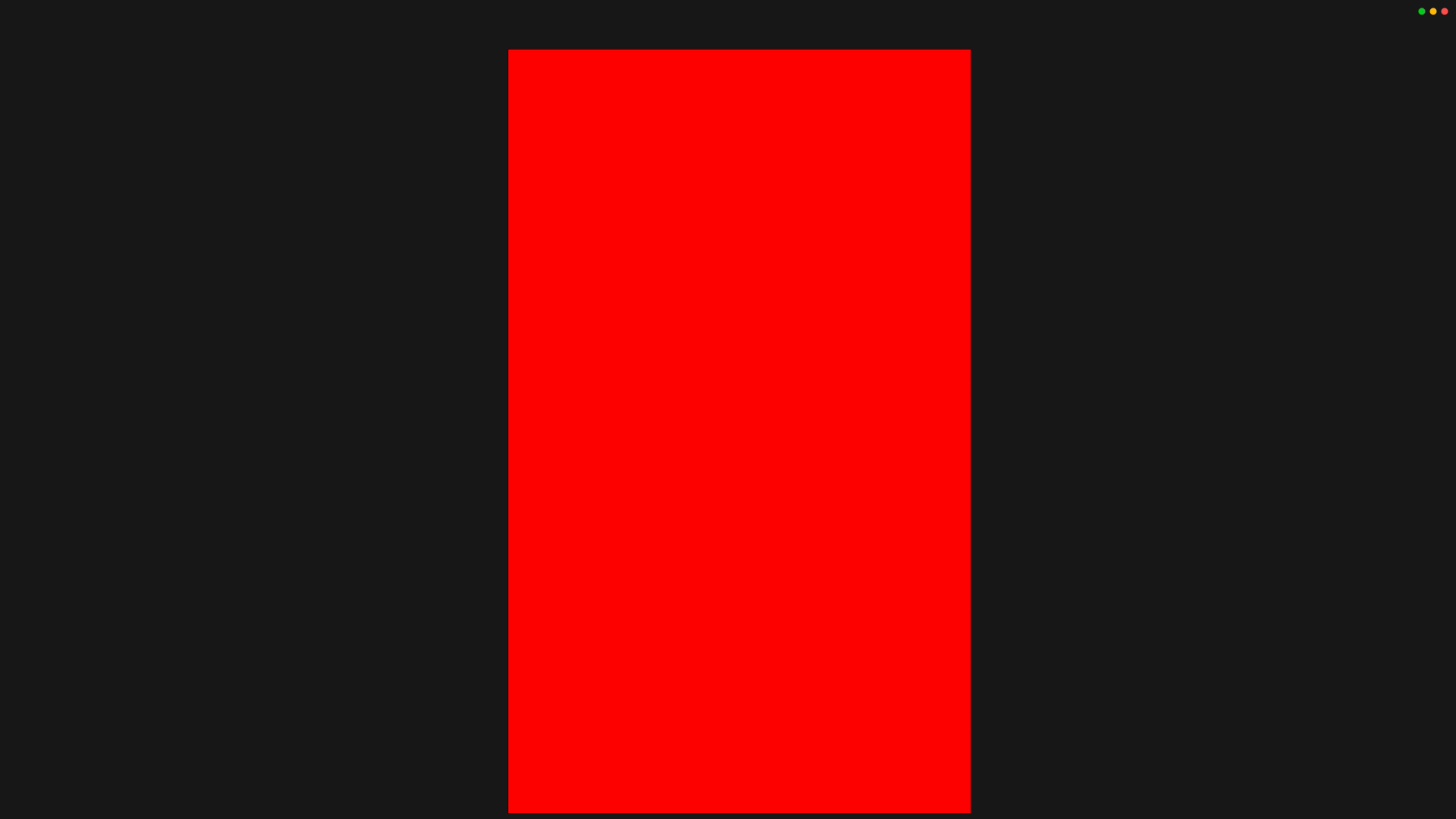
Death
For life and death are one, even as the river and the sea are one
Our previous fire (aka red rectangle) obviously lacks a crucial feature: its specks are unaware of their ephemeral existence. In this section we’ll gently remind them; to do so, we’re gonna sprinkle our modeling with some math and probability. But first, let’s set our design objectives:
- we are looking to decide when a speck does stay alive and rise, based on the distance of the speck from the center of the source
- to make our fire more dynamic and realistic, our function will output probabilities
pand not a hard decision - all specks of a particular cell are assigned the same probability but the subsequent decision is taken for each independently
- to shape our fire appropriately,
pwill be made to smoothly decrease as the distance to the center of the source increases
In more mathematical terms, we are seeking a smooth, monotonically decreasing function with image in [0, 1]. Out of the infinitely many options we have, we’ll pick an inverted S-curve, a special case of the logistic function with equation
We’ll create two new functions: risingProba, which computes p as a function of the weighted distance (row and column positions), based on carefully selected parameters ™
Then to determine the fate of each speck, we’ll have a function sampleBinom which, given the number of specks of a particular cell and the probability p, will output the number of surviving specks.
15 collapsed lines
//> using dep "org.jline:jline:3.30.6"
import org.jline.terminal.{Terminal, TerminalBuilder}import org.jline.utils.AttributedCharSequence.ForceModeimport org.jline.utils.{AttributedString, AttributedStyle}import org.jline.utils.InfoCmp.Capability
import java.util.concurrent.TimeUnitimport scala.math.expimport scala.util.{Random, Using}
val COLORS = math.pow(256, 3).toInt
def colorString(r: Int, g: Int, b: Int): String = val colorStyle = AttributedStyle.DEFAULT.background(r, g, b) AttributedString(" ", colorStyle).toAnsi(COLORS, ForceMode.ForceTrueColors)
def logistic(x: Double, L: Double = 1, k: Double = 1, x0: Double = 0): Double = L / (1 + exp(-k * (x - x0)))
def sampleBinom(n: Int, p: Double): Int = Iterator.fill(n)(if Random.nextDouble() <= p then 1 else 0).sum
case class Cell(row: Int, col: Int, specks: Int)case class Scene(5 collapsed lines
height: Int, width: Int, fireSize: Int, // size of the base of our fire cells: Seq[Cell] = Seq.empty): private val fireLeftCorner = (width - fireSize) / 2 + 1 private val fireRightCorner = fireLeftCorner + fireSize - 1 private val center = width / 2
private def risingProba(row: Int, col: Int): Double = val altitude = height - row val hdistance = (col - center).abs logistic(x = altitude + 1.6 * hdistance, k = -0.3, x0 = 27)
def update: Scene = val newCells = cells // Fire rises to the row above // Probability of rising depends on distance from center and height .map(c => c.copy(row = c.row - 1, specks = sampleBinom(c.specks, risingProba(c.row, c.col)))) // Cells which died out or which go out of screen are removed .filter(c => c.specks > 0 && c.row >= 0 && c.col >= 0 && c.col < width) // Fire is born at the bottom on the fire base26 collapsed lines
.concat((fireLeftCorner to fireRightCorner).map(col => Cell(height, col, 1)))
copy(cells = newCells)
def draw(terminal: Terminal): Unit = cells.foreach: cell => terminal.puts(Capability.cursor_address, cell.row, cell.col)
// For now we always use plain red, regardless of fire intensity terminal.writer.print(colorString(255, 0, 0))
Using(TerminalBuilder.builder().color(true).build()): terminal => val size = terminal.getSize var scene = Scene(size.getRows, size.getColumns, 40)
terminal.puts(Capability.cursor_invisible)
// Drawing loop while true do scene = scene.update // Delay between frames TimeUnit.MILLISECONDS.sleep(90) // Clear terminal and previous frame terminal.puts(Capability.clear_screen)
scene.draw(terminal) terminal.flush()If you had the urge to preview your latest changes you’d have been faced with some weird looking pine ! This sparsity stems from the fact that we’re outputting only one speck per cell on the base. Let’s fix that. Our objective will be to output a decreasing number of specks as we move away from the center. We’re faced with some design choices again, but this time no fanciness: we’ll use a simple linear scheme based on the distance from the center using carefully selected parameters ™
40 collapsed lines
//> using dep "org.jline:jline:3.30.6"
import org.jline.terminal.{Terminal, TerminalBuilder}import org.jline.utils.AttributedCharSequence.ForceModeimport org.jline.utils.{AttributedString, AttributedStyle}import org.jline.utils.InfoCmp.Capability
import java.util.concurrent.TimeUnitimport scala.math.expimport scala.util.{Random, Using}
val COLORS = math.pow(256, 3).toInt
def colorString(r: Int, g: Int, b: Int): String = val colorStyle = AttributedStyle.DEFAULT.background(r, g, b) AttributedString(" ", colorStyle).toAnsi(COLORS, ForceMode.ForceTrueColors)
def logistic(x: Double, L: Double = 1, k: Double = 1, x0: Double = 0): Double = L / (1 + exp(-k * (x - x0)))
def sampleBinom(n: Int, p: Double): Int = Iterator.fill(n)(if Random.nextDouble() <= p then 1 else 0).sum
case class Cell(row: Int, col: Int, specks: Int)case class Scene( height: Int, width: Int, fireSize: Int, // size of the base of our fire cells: Seq[Cell] = Seq.empty): private val fireLeftCorner = (width - fireSize) / 2 + 1 private val fireRightCorner = fireLeftCorner + fireSize - 1 private val center = width / 2
private def risingProba(row: Int, col: Int): Double = val altitude = height - row val hdistance = (col - center).abs logistic(x = altitude + 1.6 * hdistance, k = -0.3, x0 = 27)
def update: Scene = val newCells = cells // Fire rises to the row above. // Probability of rising depends on distance from center and height .map(c => c.copy(row = c.row - 1, specks = sampleBinom(c.specks, risingProba(c.row, c.col)))) // Cells which died out or which go out of screen are removed .filter(c => c.specks > 0 && c.row >= 0 && c.col >= 0 && c.col < width) // Fire is born at the bottom on the fire base. // Intensity depends on distance from center .concat((fireLeftCorner to fireRightCorner).map(col => Cell(height, col, (19 - 0.4*(center - col).abs).toInt)))
copy(cells = newCells)24 collapsed lines
def draw(terminal: Terminal): Unit = cells.foreach: cell => terminal.puts(Capability.cursor_address, cell.row, cell.col)
// For now we always use plain red, regardless of fire intensity terminal.writer.print(colorString(255, 0, 0))
Using(TerminalBuilder.builder().color(true).build()): terminal => val size = terminal.getSize var scene = Scene(size.getRows, size.getColumns, 40)
terminal.puts(Capability.cursor_invisible)
// Drawing loop while true do scene = scene.update // Delay between frames TimeUnit.MILLISECONDS.sleep(90) // Clear terminal and previous frame terminal.puts(Capability.clear_screen)
scene.draw(terminal) terminal.flush()tip
Curious about
sampleBinom? Let’s rephrase our situation a bit: we have a collection of n elements (our specks) each having two possible outcomes: staying 1 (or staying alive and rising), with probabilityp, or becoming 0 (or dying), with probability1 - p. This is the classic Bernoulli random variable. The sum ofnsuch IID (independent and identically distributed) random variables (i.e. the total number of surviving specks) is then distributed according to the Binomial distribution with parametersnandp, which our function samples from.
And with that we’re very close to the conclusion, great work ! Feel free to appreciate your latest additions, you now got a fairly shaped fire !
Play with the parameters and adjust your fire’s shape
If you got the fire of curiosity burning inside or feel that your fire is not optimally shaped (which might happen based on your setup), you might be tempted to play with the various parameters introduced so far, which I’d warmly encourage. To assist you in this endeavour, the curves below show the effect of adjusting the k and x0 parameters controlling the specks’ disappearance.
Color
Our last endeavour will be to bring colors to our monochromatic world ! We’ll keep things simple: we want our fire to be reddish-yellowish overall, with increased brightness at high intensity locations. As we already have a cool logistic function implemented, we’ll use that (with… carefully selected parameters ™) to smoothly control the brightness by appropriately adjusting the green channel of our color, keeping our red channel maximized as before. Here’s what this means visually:
As for the code, it turns out to be quite simple:
53 collapsed lines
//> using dep "org.jline:jline:3.30.6"
import org.jline.terminal.{Terminal, TerminalBuilder}import org.jline.utils.AttributedCharSequence.ForceModeimport org.jline.utils.{AttributedString, AttributedStyle}import org.jline.utils.InfoCmp.Capability
import java.util.concurrent.TimeUnitimport scala.math.expimport scala.util.{Random, Using}
val COLORS = math.pow(256, 3).toInt
def colorString(r: Int, g: Int, b: Int): String = val colorStyle = AttributedStyle.DEFAULT.background(r, g, b) AttributedString(" ", colorStyle).toAnsi(COLORS, ForceMode.ForceTrueColors)
def logistic(x: Double, L: Double = 1, k: Double = 1, x0: Double = 0): Double = L / (1 + exp(-k * (x - x0)))
def sampleBinom(n: Int, p: Double): Int = Iterator.fill(n)(if Random.nextDouble() <= p then 1 else 0).sum
case class Cell(row: Int, col: Int, specks: Int)case class Scene( height: Int, width: Int, fireSize: Int, // size of the base of our fire cells: Seq[Cell] = Seq.empty): private val fireLeftCorner = (width - fireSize) / 2 + 1 private val fireRightCorner = fireLeftCorner + fireSize - 1 private val center = width / 2
private def risingProba(row: Int, col: Int): Double = val altitude = height - row val hdistance = (col - center).abs logistic(x = altitude + 1.6 * hdistance, k = -0.3, x0 = 27)
def update: Scene = val newCells = cells // Fire rises to the row above. // Probability of rising depends on distance from center and height .map(c => c.copy(row = c.row - 1, specks = sampleBinom(c.specks, risingProba(c.row, c.col)))) // Cells which died out or which go out of screen are removed .filter(c => c.specks > 0 && c.row >= 0 && c.col >= 0 && c.col < width) // Fire is born at the bottom on the fire base. // Intensity depends on distance from center .concat((fireLeftCorner to fireRightCorner).map(col => Cell(height, col, (19 - 0.4*(center - col).abs).toInt)))
copy(cells = newCells)
def draw(terminal: Terminal): Unit = cells.foreach: cell => terminal.puts(Capability.cursor_address, cell.row, cell.col)
val gScale = logistic(cell.specks.toDouble, k = 0.3, x0 = 10) terminal.writer.print(colorString(255, (255 * gScale).toInt, 0))
// For now we always use plain red, regardless of fire intensity terminal.writer.print(colorString(255, 0, 0))
Using(TerminalBuilder.builder().color(true).build()): terminal => val size = terminal.getSize14 collapsed lines
var scene = Scene(size.getRows, size.getColumns, 40)
terminal.puts(Capability.cursor_invisible)
// Drawing loop while true do scene = scene.update // Delay between frames TimeUnit.MILLISECONDS.sleep(90) // Clear terminal and previous frame terminal.puts(Capability.clear_screen)
scene.draw(terminal) terminal.flush()Conclusion
Conclusion, already ? Congratulations, we did it !
Here’s a little retrospective of our journey:
- we explored a fun little artistic project for the terminal
- we designed various aspects of our real-world phenomenon using math, probability and carefully selected parameters ™
- we implemented our ideas in Scala 3, showcasing the simplicity and ergonomy of the language even for simple projects and scripting purposes
I hope you enjoyed this journey, may it bring you some fun, joy and warmth. Until our next exploration !
Bonus: screen tearing
You may have noticed some annoying screen tearing that we have been pretending not to notice so far. Fear not, we can do something about it ! The problem lies in the fact that, at each frame, we’re clearing the screen entirely and drawing from scratch, but we don’t have to do that.
Let’s have it as an exercise to showcase your skills 😎 Try changing the drawing loop so that only the required cells are updated on each step.
Hints for the implementation
- You can reset / clear a specific cell by writing a space character
" "inside - The Scala
difffunction might come in handy. But you’ll need to map your data first… - To capture a subset only of your case classes, you could map them to Named Tuples
Solution
61 collapsed lines
//> using dep "org.jline:jline:3.30.6"
import org.jline.terminal.{Terminal, TerminalBuilder}import org.jline.utils.AttributedCharSequence.ForceModeimport org.jline.utils.{AttributedString, AttributedStyle}import org.jline.utils.InfoCmp.Capability
import java.util.concurrent.TimeUnitimport scala.math.expimport scala.util.{Random, Using}
val COLORS = math.pow(256, 3).toInt
def colorString(r: Int, g: Int, b: Int): String = val colorStyle = AttributedStyle.DEFAULT.background(r, g, b) AttributedString(" ", colorStyle).toAnsi(COLORS, ForceMode.ForceTrueColors)
def logistic(x: Double, L: Double = 1, k: Double = 1, x0: Double = 0): Double = L / (1 + exp(-k * (x - x0)))
def sampleBinom(n: Int, p: Double): Int = Iterator.fill(n)(if Random.nextDouble() <= p then 1 else 0).sum
case class Cell(row: Int, col: Int, specks: Int)case class Scene( height: Int, width: Int, fireSize: Int, // size of the base of our fire cells: Seq[Cell] = Seq.empty): private val fireLeftCorner = (width - fireSize) / 2 + 1 private val fireRightCorner = fireLeftCorner + fireSize - 1 private val center = width / 2
private def risingProba(row: Int, col: Int): Double = val altitude = height - row val hdistance = (col - center).abs logistic(x = altitude + 1.6 * hdistance, k = -0.3, x0 = 27)
def update: Scene = val newCells = cells // Fire rises to the row above. // Probability of rising depends on distance from center and height .map(c => c.copy(row = c.row - 1, specks = sampleBinom(c.specks, risingProba(c.row, c.col)))) // Cells which died out or which go out of screen are removed .filter(c => c.specks > 0 && c.row >= 0 && c.col >= 0 && c.col < width) // Fire is born at the bottom on the fire base. // Intensity depends on distance from center .concat((fireLeftCorner to fireRightCorner).map(col => Cell(height, col, (19 - 0.4*(center - col).abs).toInt)))
copy(cells = newCells)
def draw(terminal: Terminal): Unit = cells.foreach: cell => terminal.puts(Capability.cursor_address, cell.row, cell.col)
val gScale = logistic(cell.specks.toDouble, k = 0.3, x0 = 10) terminal.writer.print(colorString(255, (255 * gScale).toInt, 0))
Using(TerminalBuilder.builder().color(true).build()): terminal => val size = terminal.getSize var scene = Scene(size.getRows, size.getColumns, 40) var previousCells: Option[Seq[Cell]] = None
terminal.puts(Capability.cursor_invisible) // Clear terminal only once before first frame terminal.puts(Capability.clear_screen)
// Drawing loop while true do scene = scene.update // Delay between frames TimeUnit.MILLISECONDS.sleep(90) // Clear terminal and previous frame terminal.puts(Capability.clear_screen)
scene.draw(terminal) // If previousCells is not None, foreach will execute its block previousCells.foreach: pcells => pcells .map(c => (row = c.row, col = c.col)) // Diff the previous scene's cells with the current one .diff(scene.cells.map(c => (row = c.row, col = c.col))) // We now have the cells from the previous frame that died out .foreach: c => terminal.puts(Capability.cursor_address, c.row, c.col) terminal.writer.print(" ") terminal.flush()
previousCells = Some(scene.cells)← Back to blog